




















Unreal Immersive Experience

Dezyred games have become fully interactive.
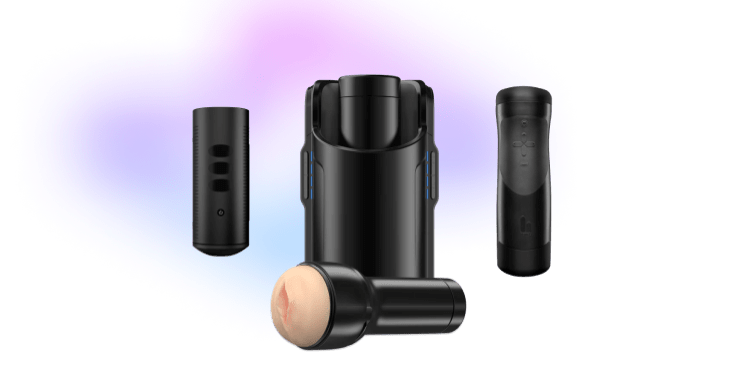
VR Porn Game Toys - Sex Toys

Feel What You See!

Break the boundaries of virtual reality with this amazing new feature now available for all our games.
1
Connect "The Handy" to VR Porn Game - step 1
Connect your interactive stroker in PLAY’A App to synchronize it with a game, all for free.
2
Connect "The Handy" to VR Porn Game - step 2
Start playing Dezyred game and have sex with your favorite pornstars as if they were real.
3
Connect "The Handy" to VR Porn Game - step 3
Bring the VR sex experience to a high new level leading to ultimate immersion.

Precision in Every Movement

Perfectly synchronized motion allows you to achieve the most realistic sex experience in VR.

How To Get Started

You just a few steps away from the mind blowing VR experience.
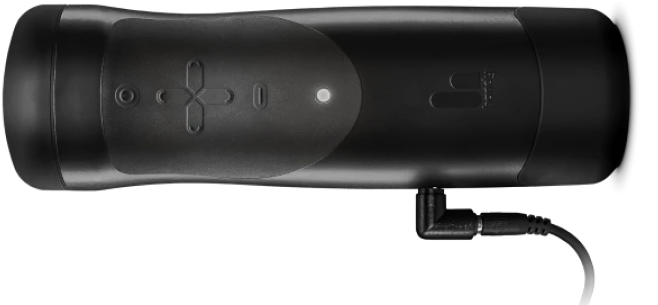
Get Started with Handy Sex Toys
Handy device: How to connect to the PLAY'A app

How to connect your Handy device to the PLAY'A app:


(If you already have a key to the connection, please skip step “1”)


1. Setup the Handy (watch the video tutorial for more details).

2. Go to the Dezyred tab.

3. Make sure that you are logged into your account.

4. Go to - "Settings" - "Devices" - "Add Device".

5. Enter the Handy connection key that you've got in the Handyverse app and click "Add".

6. Make sure that your Handy device is connected.

7. Go to any game or interactive scene marked as scripted and enjoy.


Kiiroo Keon 1 Wi-Fi: How to connect to the PLAY'A app

How to connect your Kiiroo Keon 1 Wi-Fi to the PLAY'A app:


1. Unplug the Keon from the charger. It won’t pair while charging.

2. Pair the Keon with the FeelConnect app via Bluetooth. The light should be solid blue.

3. In FeelConnect, open the Keon’s “Settings” → “Set up Wi-Fi”. Tap “Set up a new network” (first time only), then tap “Switch to Wi-Fi mode”. Wait until the light turns solid yellow.

4. In the same “Settings” screen, copy the “Connection Key”.

5. Make sure that your phone and headset are connected to the same Wi-Fi network.

6. Open PLAY’A (version 3.1.10 or newer).

7. Go to “Settings” → “Devices” → “Add Device”.

8. Select “Kiiroo Keon Wi-Fi (Wi-Fi)” and click “Next”.

9. Enter the Connection Key from the FeelConnect app.

10. Make sure that your Keon device is connected.

11. Go to any game or interactive scene marked as scripted and enjoy.

Get Discount on Handy Toys

Enjoy with The Handy - 20% OFF

Use the code: DEZYRED and get 20% OFF. Bring your masturbation into the future.
Shop now

Our site uses cookies to personalize content and make our site easier for you to use. 

Anna FoxKatie Morgan
Warning: This Website is for Adults Only!
This Website is for use solely by individuals at least 18-years old (or the age of consent in the jurisdiction from which you are accessing the Website). The materials that are available on this Website include graphic visual depictions and descriptions of nudity and sexual activity and must not be accessed by anyone who is under 18-years old and the age of consent. Visiting this Website if you are under 18-years old and the age of consent might be prohibited by the law of your jurisdiction.

By clicking “I Agree” below, you state that the following statements are accurate:
  •   I am an adult, at least 18-years old, and the age of consent in my jurisdiction, and I have the right to access and possess adult material in my community.
  •   I acknowledge that the Website’s Terms-of-Service Agreement governs my use of the Website, and I have reviewed and agreed to be bound by those terms.
If you do not agree, click on the “I Disagree” button below and exit the Website.

Date: October 21, 2026